 marygans
Agent Identity Graph
an AI-Native design workflow, shifting the design process from static mockups to living specs.
Overview
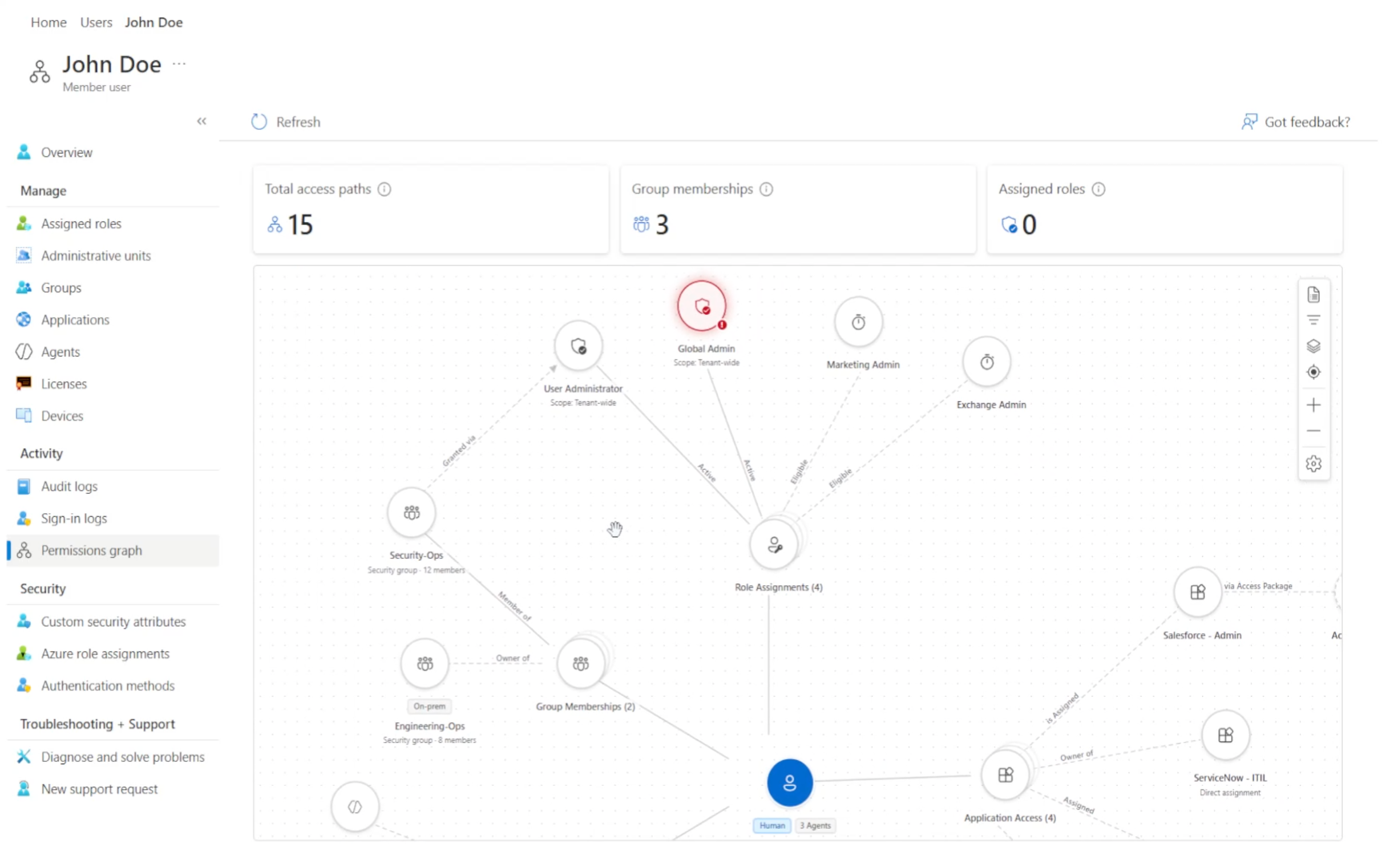
The Identity Access Graph helps security administrators investigate identity relationships, understand access risk, and confidently respond to security incidents through an interactive graph-based experience.
Alongside designing the product experience, I explored a new AI-native approach to enterprise product design. By combining Figma MCP, the Entra Starter prototype, Storybook documentation, reusable components, and VS Code, I established a workflow where AI could reason over existing product context, generate production-quality prototypes, and produce living Markdown specifications for engineering.
This approach strengthened collaboration across design and engineering while enabling faster iteration on a feature that ultimately shipped to production.
Starting with Production Context
Every design decision began with existing product knowledge rather than a blank canvas.
To establish a shared understanding of the product, I gathered context from multiple sources:
- Figma documentation using Figma MCP
- The Entra Starter Prototype maintained by the design team and continuously validated against production by engineering
- Storybook component documentation
- Existing interaction patterns
- Design system guidance
- Product documentation
Together, these artifacts created a living source of truth that AI could understand and reason about throughout the design process.
AI-Native Design Workflow
With production context established, AI became an active design collaborator.
Working primarily in VS Code, I used AI to:
- Understand existing product patterns
- Reference Storybook components
- Generate production-quality prototypes
- Iterate on interaction models
- Explore multiple design directions
- Refine implementation details
- Maintain consistency with the design system
Instead of recreating existing components, every iteration built on production-ready patterns already used by the product team.
Building Against Real Components
The Entra Starter Prototype became the foundation for exploration.
Maintained by the design team and continuously validated against production by engineering, it provided a reliable starting point that reflected how the product actually behaved.
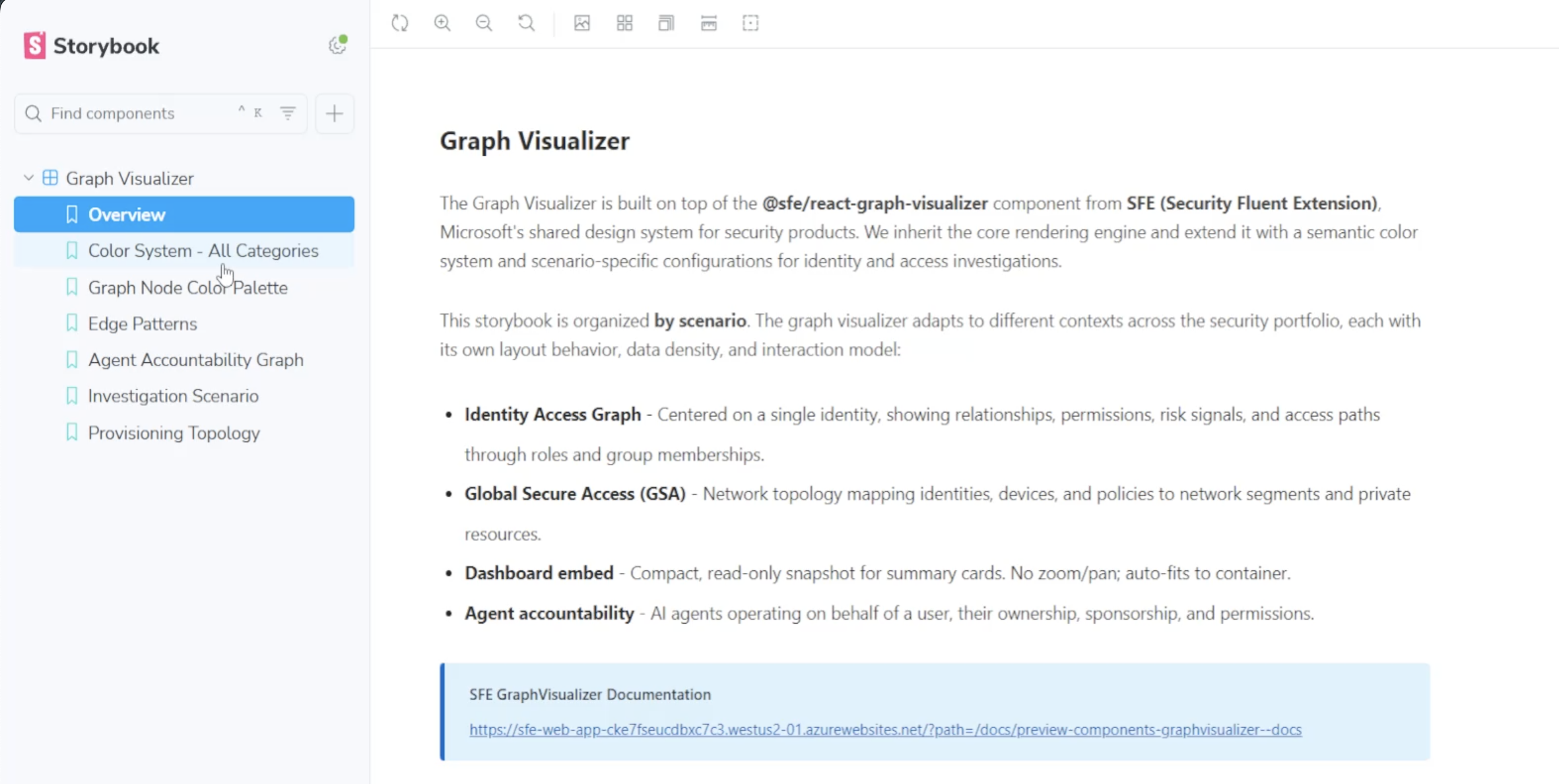
Combined with Storybook documentation and reusable component libraries, AI was able to generate prototypes that aligned closely with engineering expectations while remaining flexible enough to explore new interaction patterns. The component catalog and Storybook references served as the authoritative guide for graph-specific components and reusable patterns.
Reusable Across Scenarios
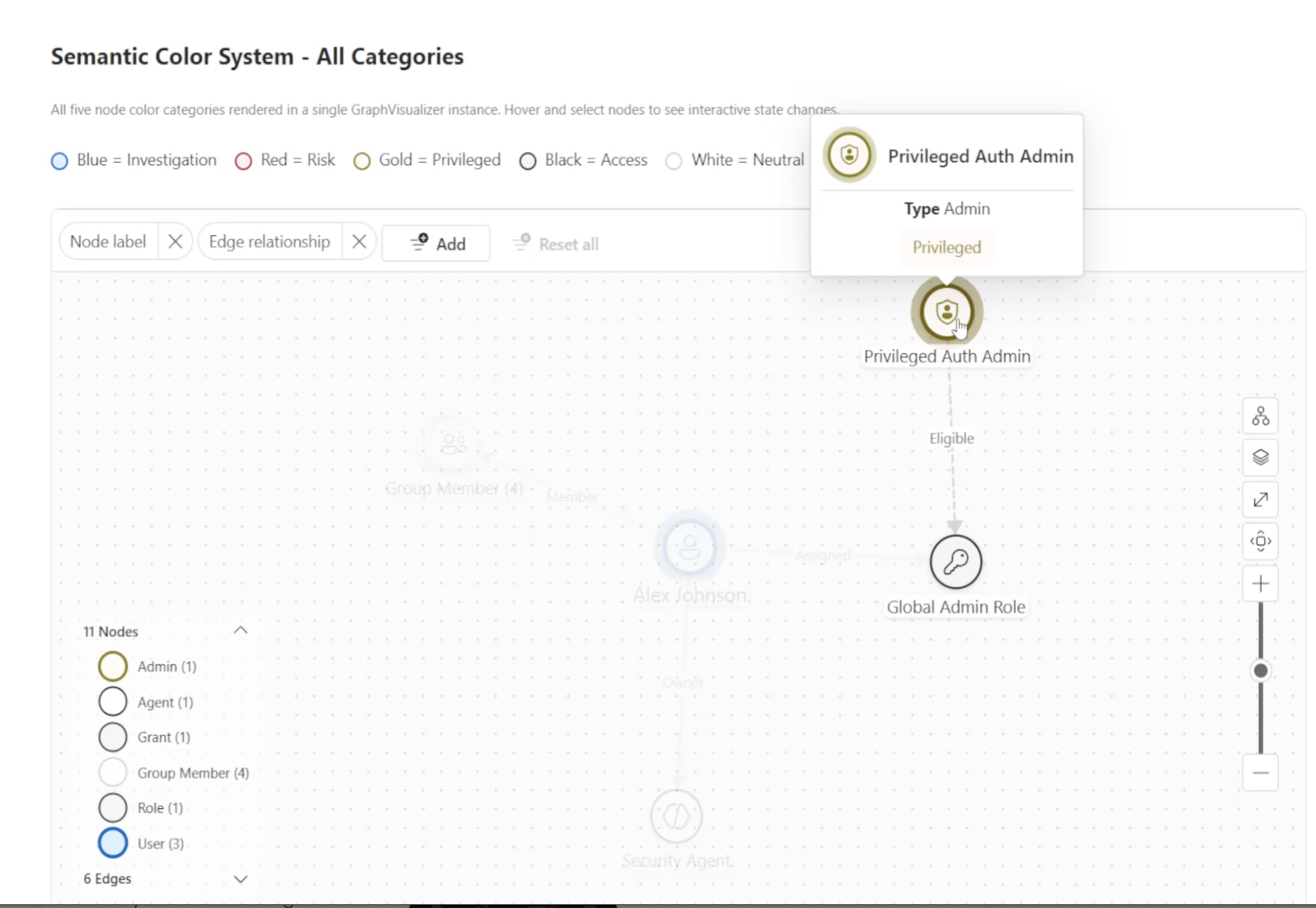
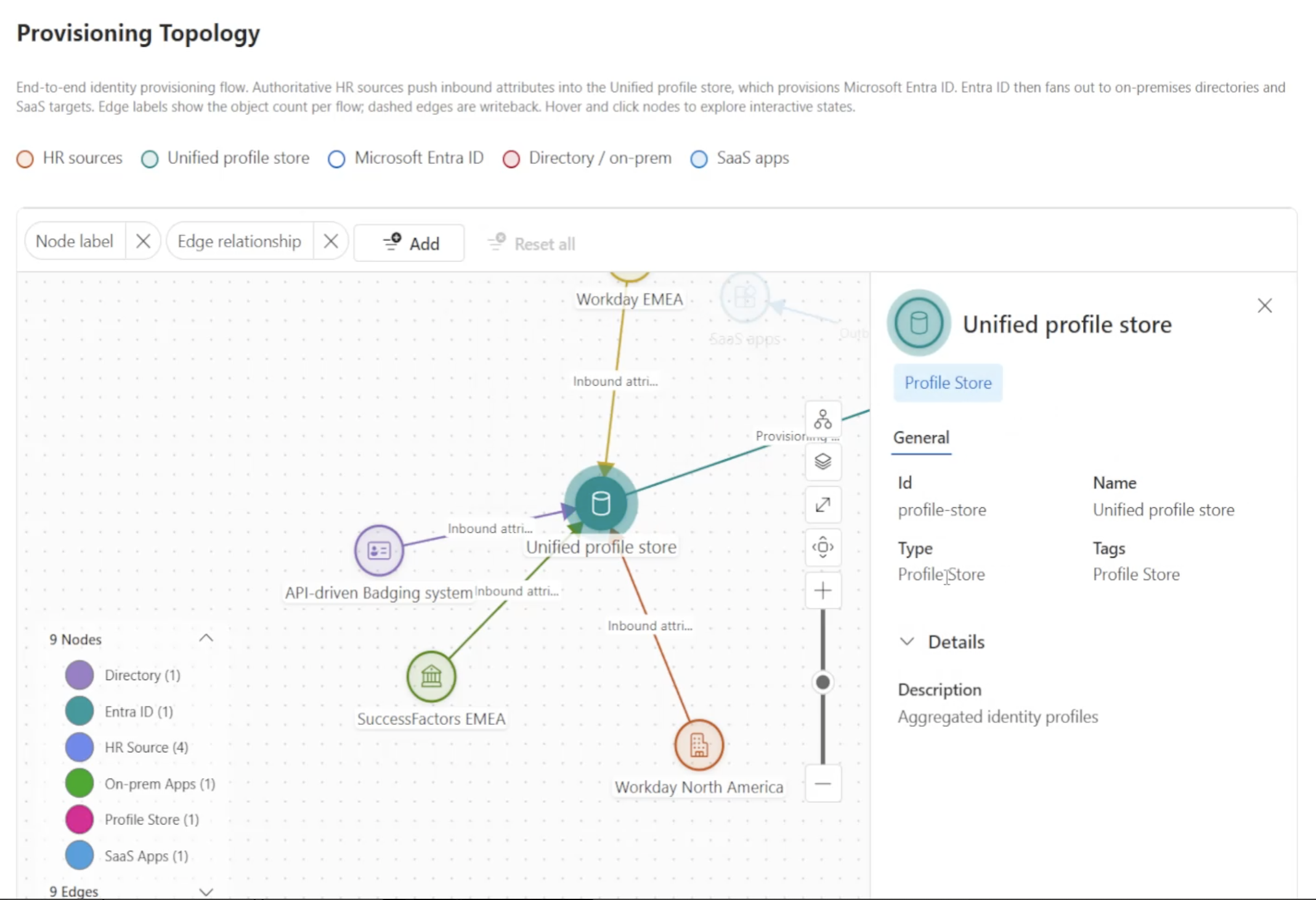
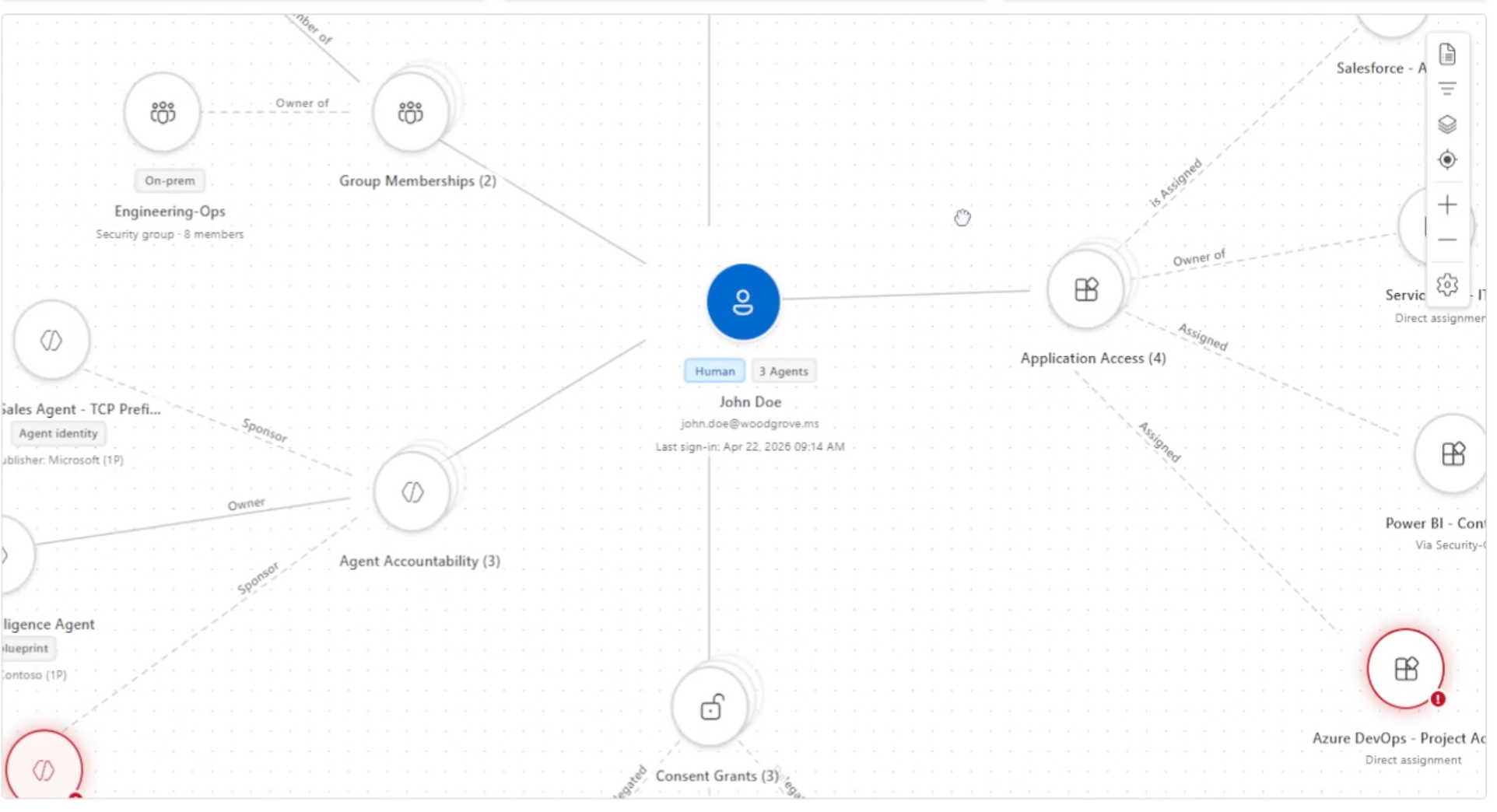
Because the Graph Visualizer was built as a shared component, the same node types, semantic color system, and interaction patterns could be reconfigured for entirely different investigation scenarios without rebuilding the underlying graph.
From Prototype to Specification
One of the most valuable outputs wasn’t the prototype—it was the specification.
As the experience evolved, AI generated structured Markdown specifications that documented the interaction model, component usage, behavior, and implementation details.
These living specifications became shared artifacts between design and engineering, reducing ambiguity and making handoff more consistent.
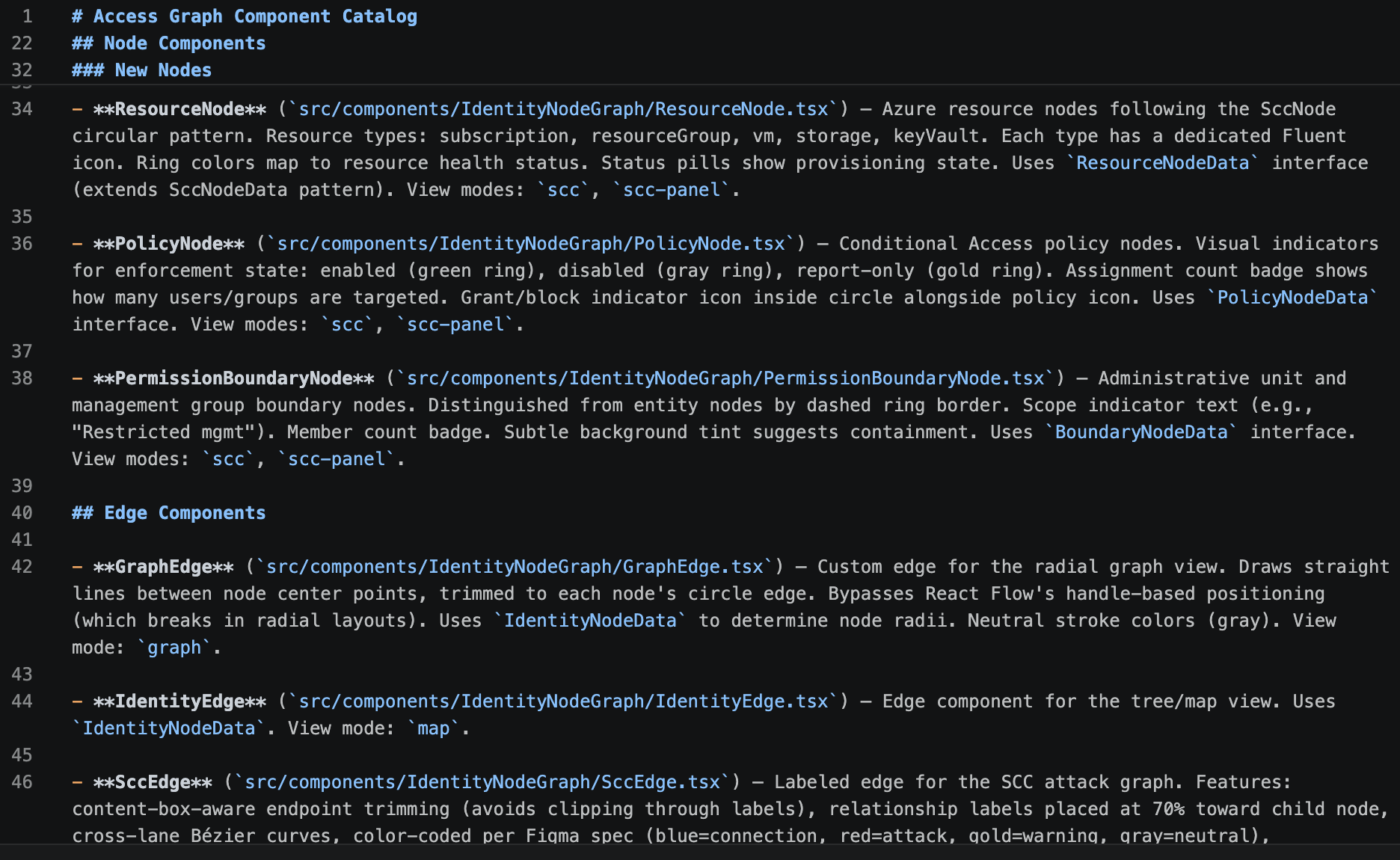
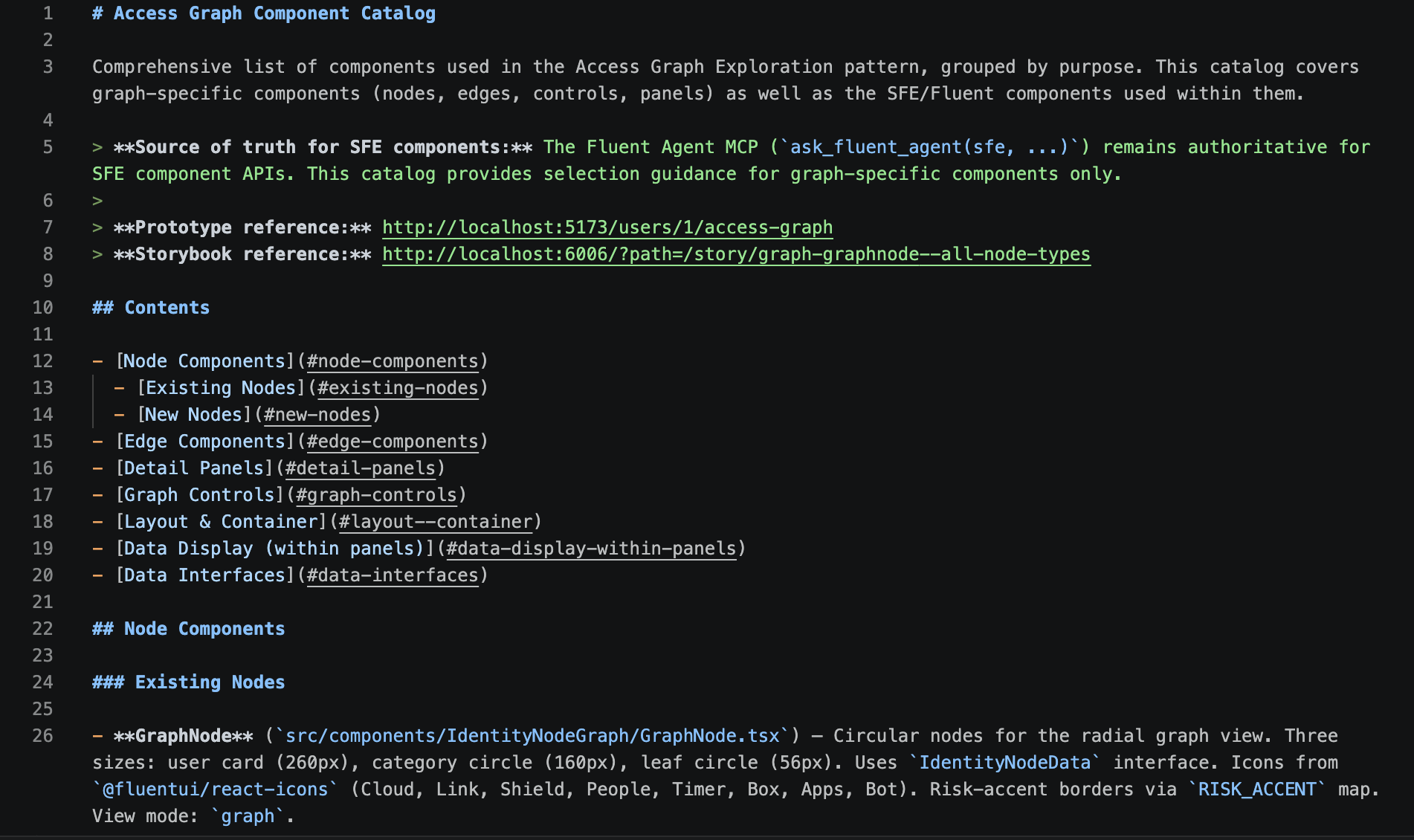
Rather than documenting designs after they were complete, the specification evolved alongside the product.
Applying the Workflow
The Identity Access Graph became the environment where this workflow came together.
Using AI-assisted prototyping, reusable graph components, and production documentation, I designed an investigation experience that helps administrators:
- Understand identity relationships
- Explore access paths
- Review agent accountability
- Investigate security signals
- Move confidently toward remediation
Each interaction was built on reusable patterns that could scale across future enterprise security experiences.
Agent Accountability
AI agents introduce a different investigation challenge. Administrators need to understand which agent acted, who authorized it, what resources it interacted with, and how those actions were performed.
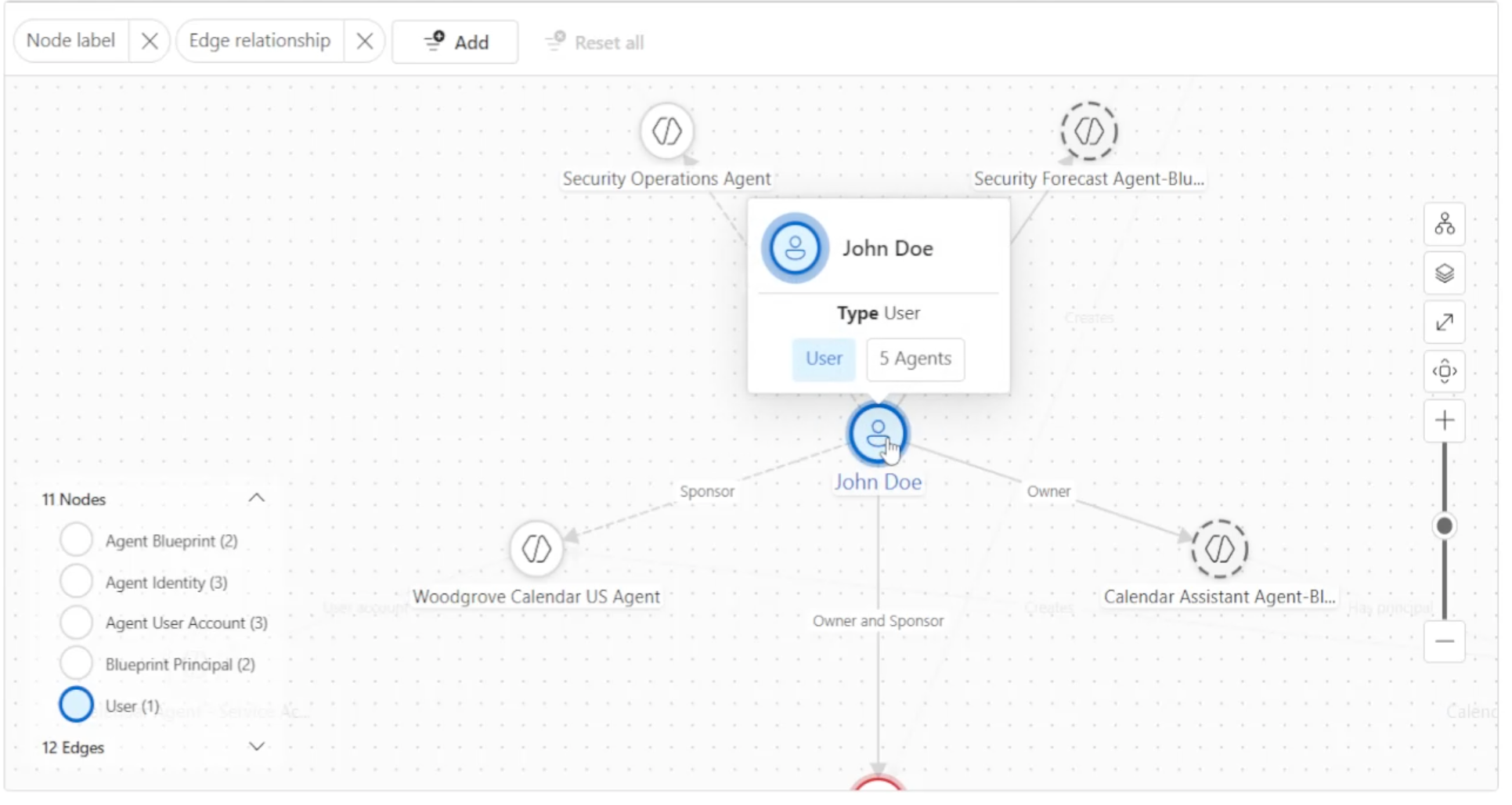
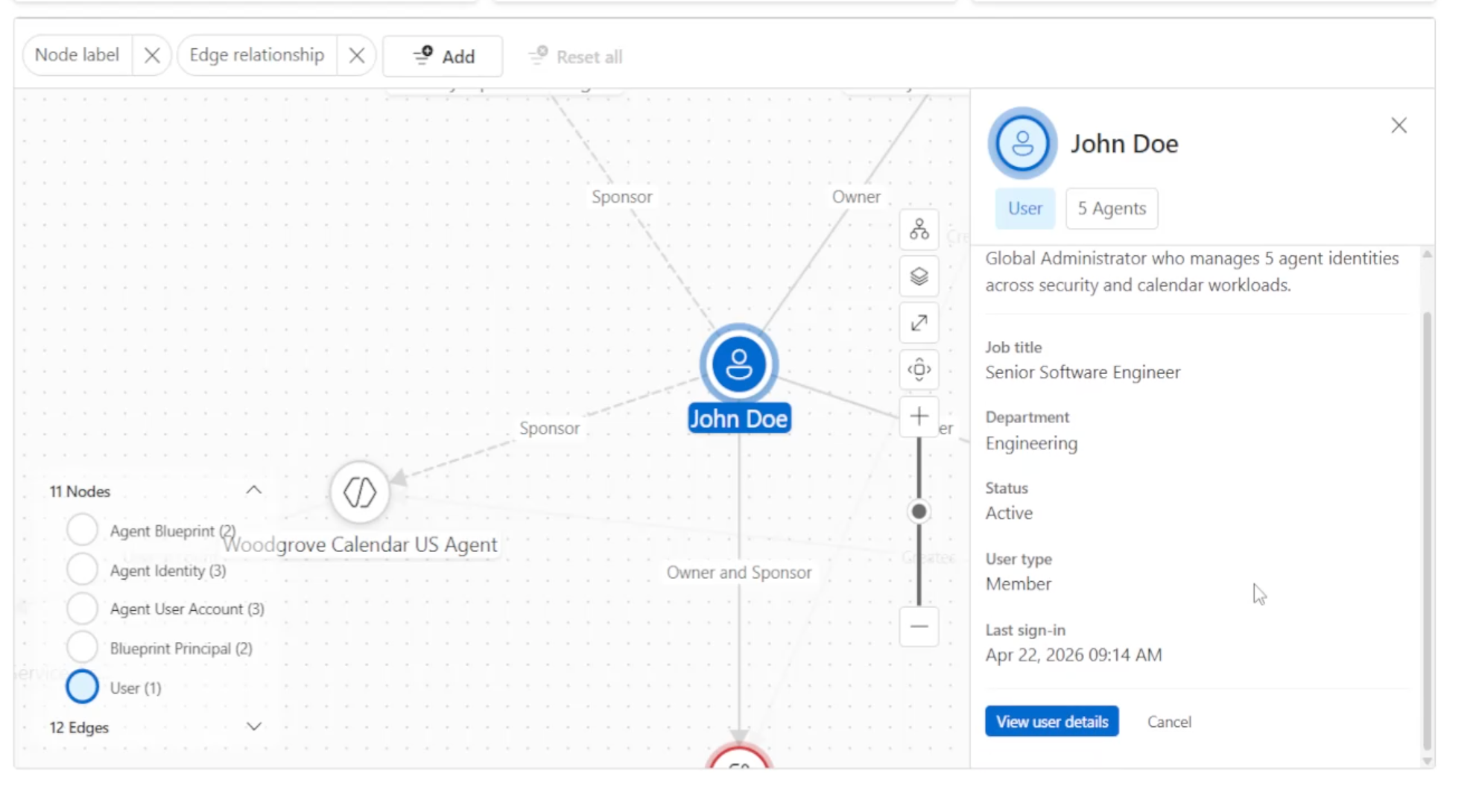
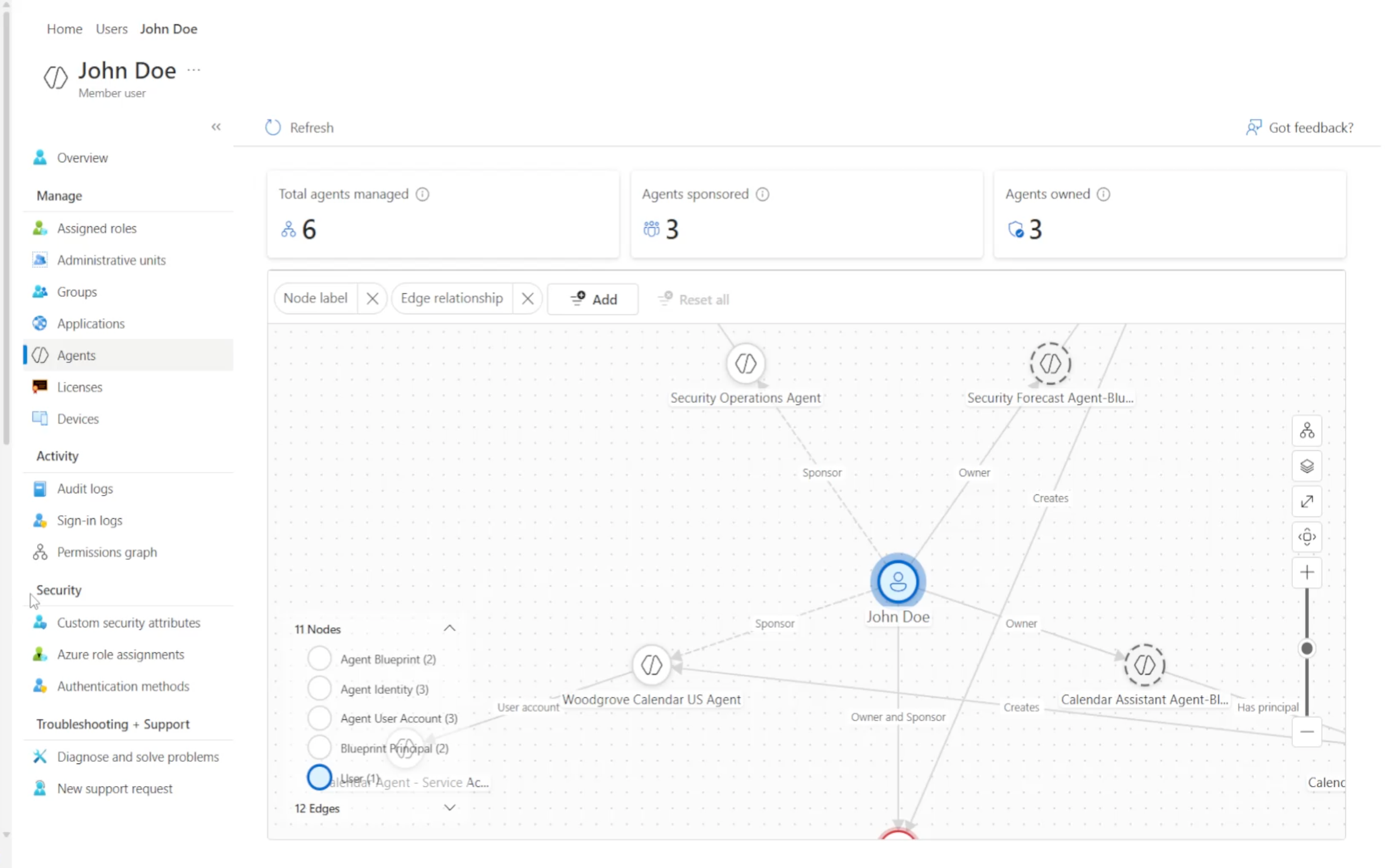
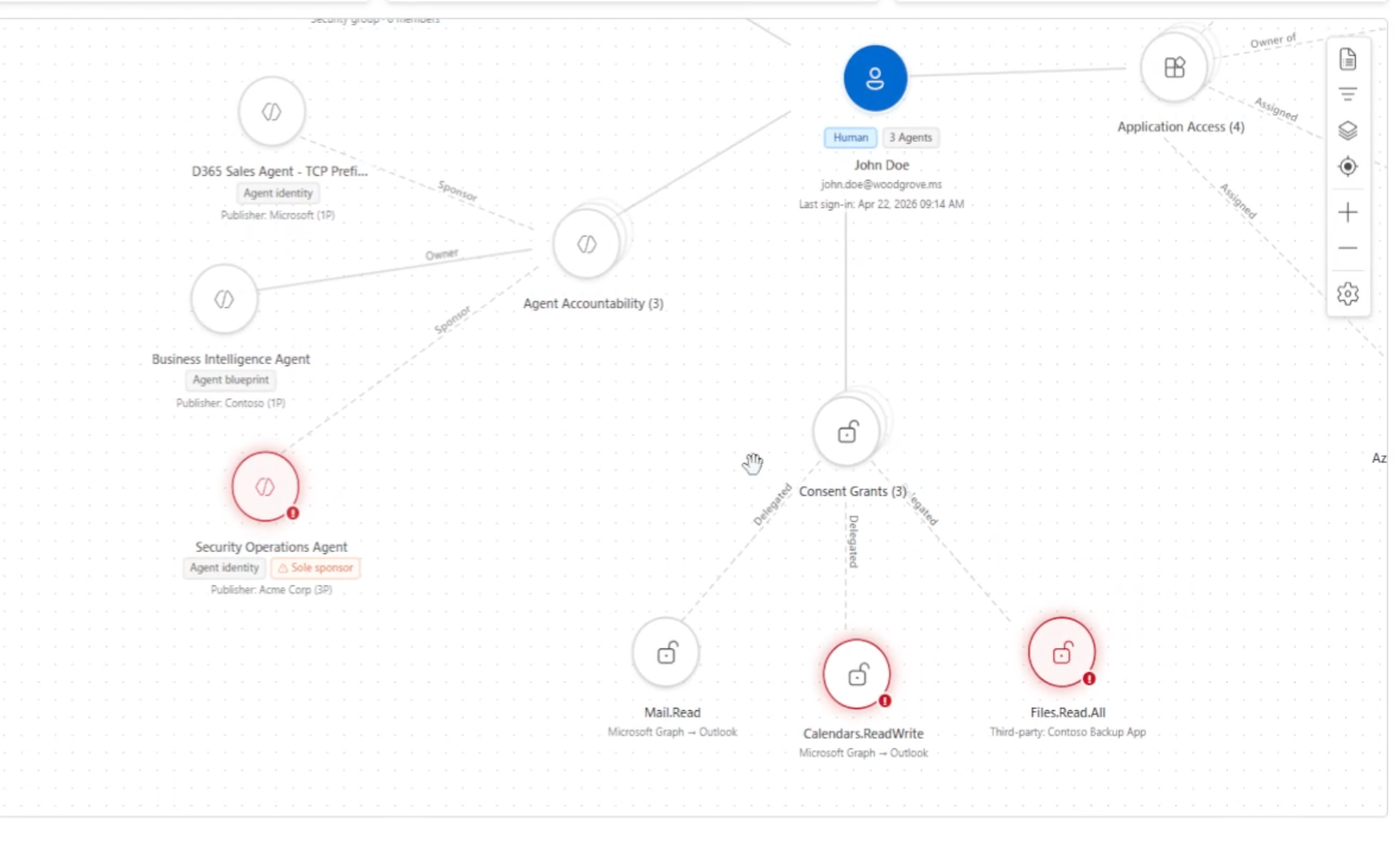
The Agent Accountability Graph visualizes relationships between agents, users, sessions, applications, and resources, scoped to only the agents the user is accountable for. This creates a traceable view of delegated activity and helps administrators investigate actions taken across the environment.
Progressive Disclosure
The experience begins with a focused view of the agent and its most relevant relationships. Administrators can progressively reveal sessions, resources, permissions, and related activity as the investigation deepens, without loading the full graph at once.
Focused Investigation
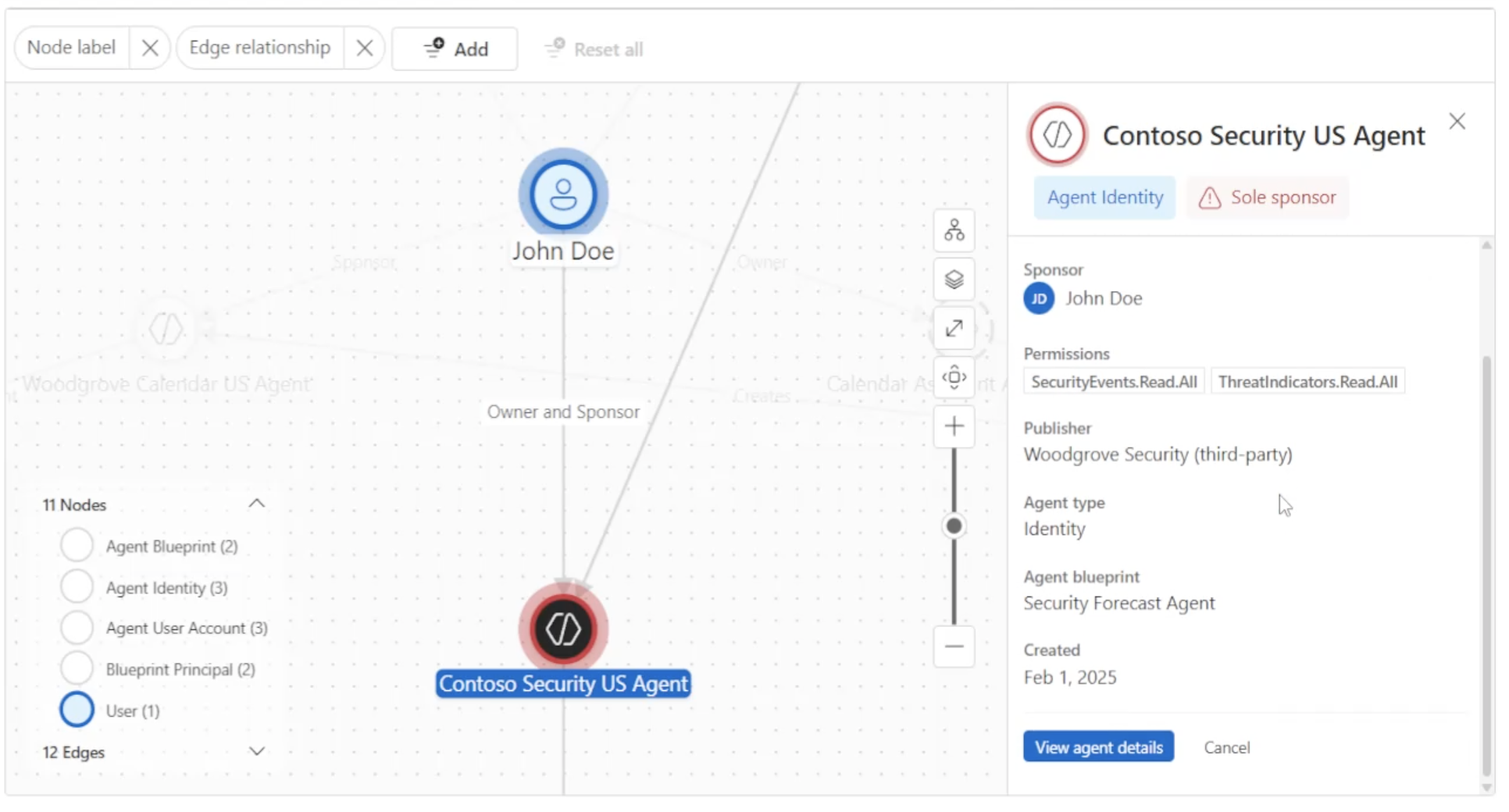
Selecting a relationship opens additional context without removing the administrator from the graph. Details, actions, and supporting information remain connected to the selected node, helping administrators investigate activity while maintaining their place in the broader system.
End-to-End Demo
Access & Permissions
The Permissions Graph helps administrators answer a critical question: What does this identity have access to?
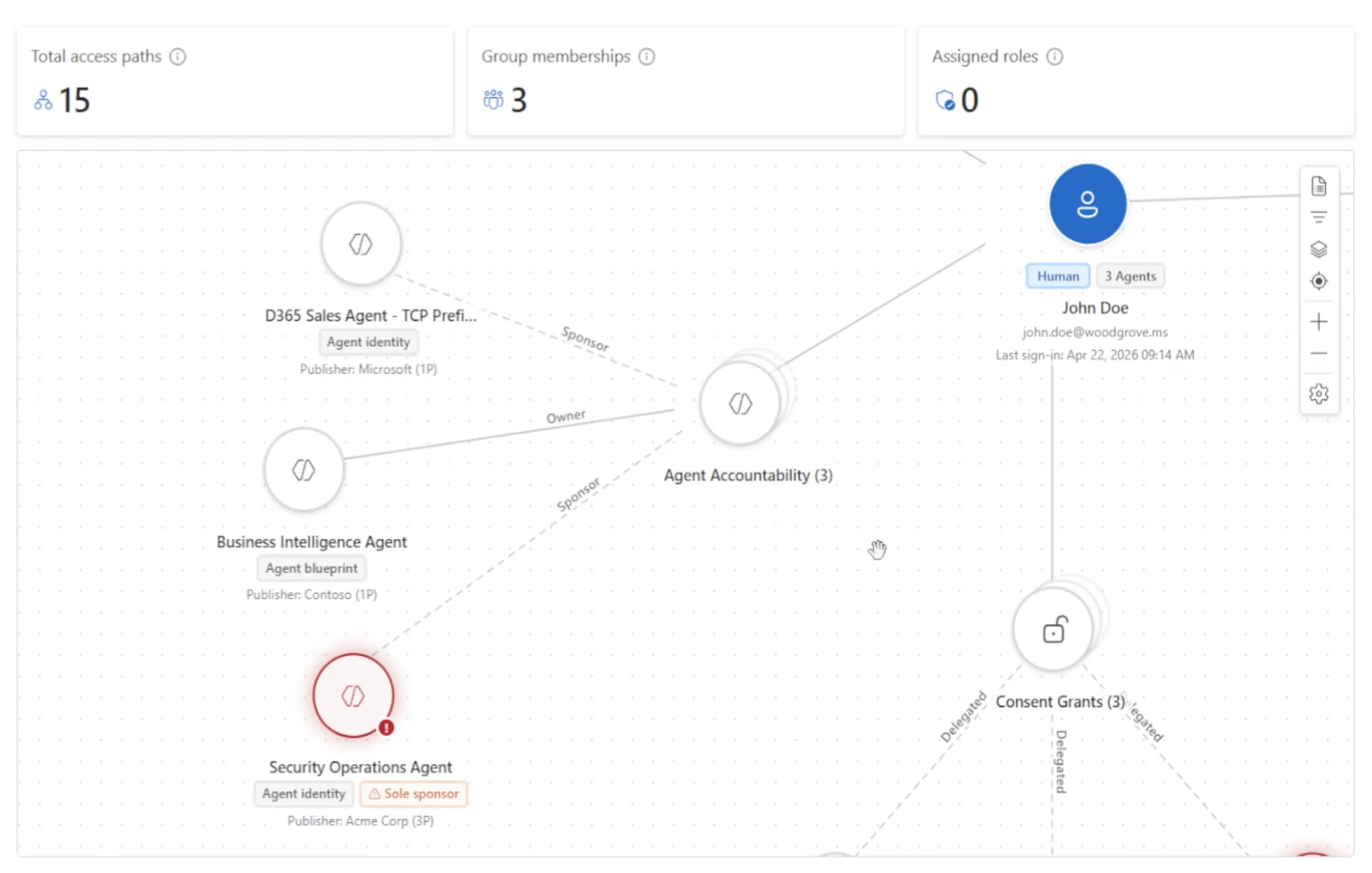
It brings together the user’s permissions, roles, groups, applications, and resources in one visual experience, including how they connect and where they lead. Instead of piecing together access across disconnected tables, administrators can quickly understand how permissions were granted, explore relationship paths by expanding nodes, and identify potentially risky access.
Risk Visibility
The graph surfaces risk directly within the access model, helping administrators identify privileged roles, sensitive resources, and potentially excessive permissions. Visual indicators distinguish higher-risk relationships without overwhelming the broader graph.
End-to-End Demo
Shared Artifacts
Every iteration strengthened a shared foundation for future work.
Artifacts included:
- Production-ready Markdown specifications
- Storybook component documentation
- Reusable graph patterns
- AI prompts and workflows
- Interactive prototypes
- Design guidance
Together, these assets accelerated collaboration across design and engineering while making future features faster to prototype, validate, and evolve.
Outcome
This project established an AI-native approach to enterprise product design by combining production context, reusable components, AI-assisted prototyping, and living specifications into a single collaborative workflow.
Using this workflow, most MVP features shipped in two-week cycles from concept to production — the Permissions Graph took longer, since it depended on APIs that weren’t yet ready.
The result was more than an individual feature—it was a repeatable design process that improved collaboration, accelerated iteration, and produced implementation-ready artifacts that engineering could build from with confidence.