 marygans
AI Dashboard for Microsoft Entra
AI-powered security dashboard that helps IT admins identify, prioritize, and act on risks faster.
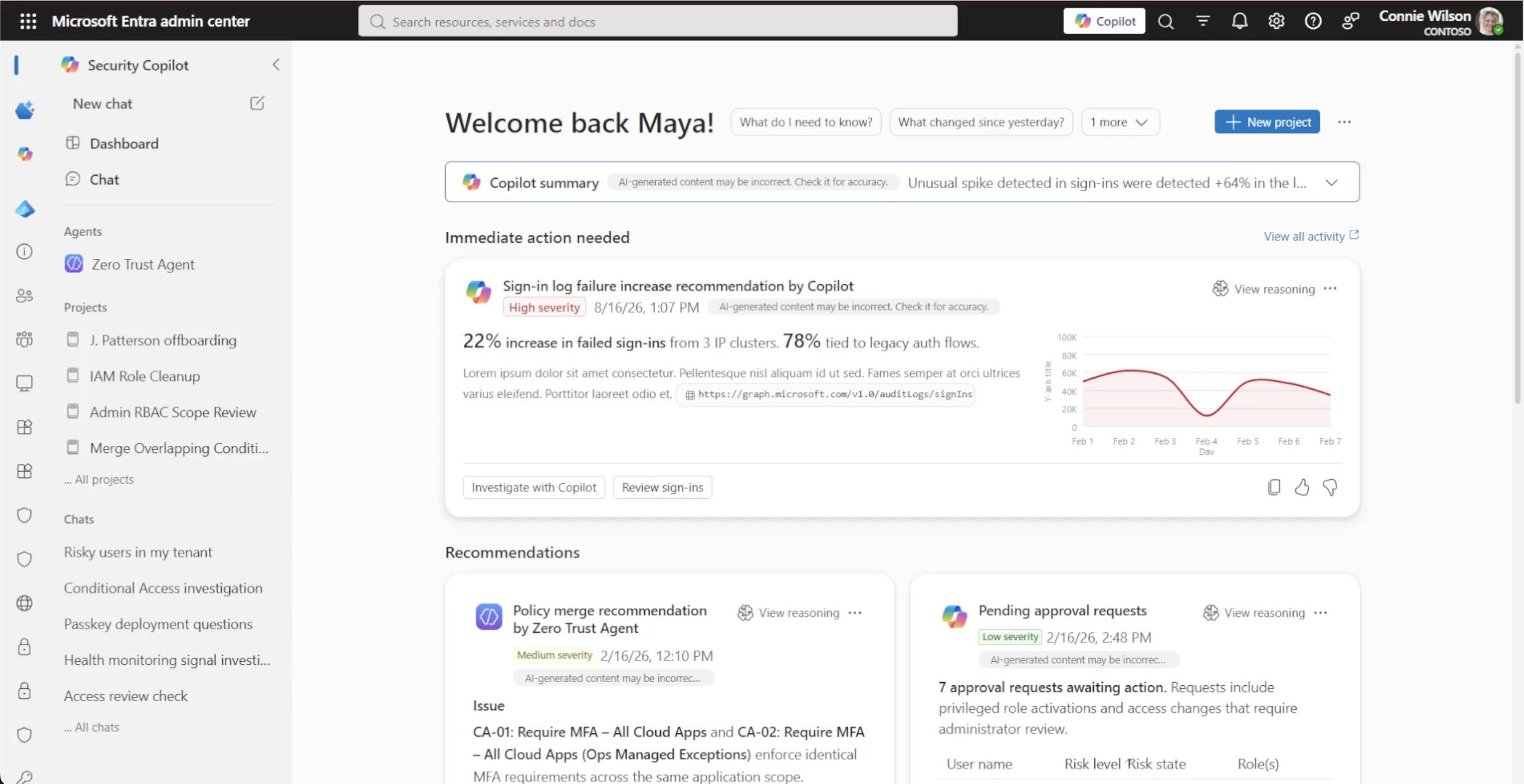
The Problem
Enterprise administrators were overwhelmed by hundreds of security signals. Existing dashboards surfaced data, but didn’t help admins understand what mattered most or what to do next.
Design Goals
Design an AI-first dashboard that could:
- Prioritize security issues
- Explain why something mattered
- Recommend the next action
- Build trust in AI recommendations
My Role
- Product Design
- AI UX Strategy
- Interaction Design
- Executive Prototyping
- Design Systems
- Cross-functional collaboration
Research / Journey
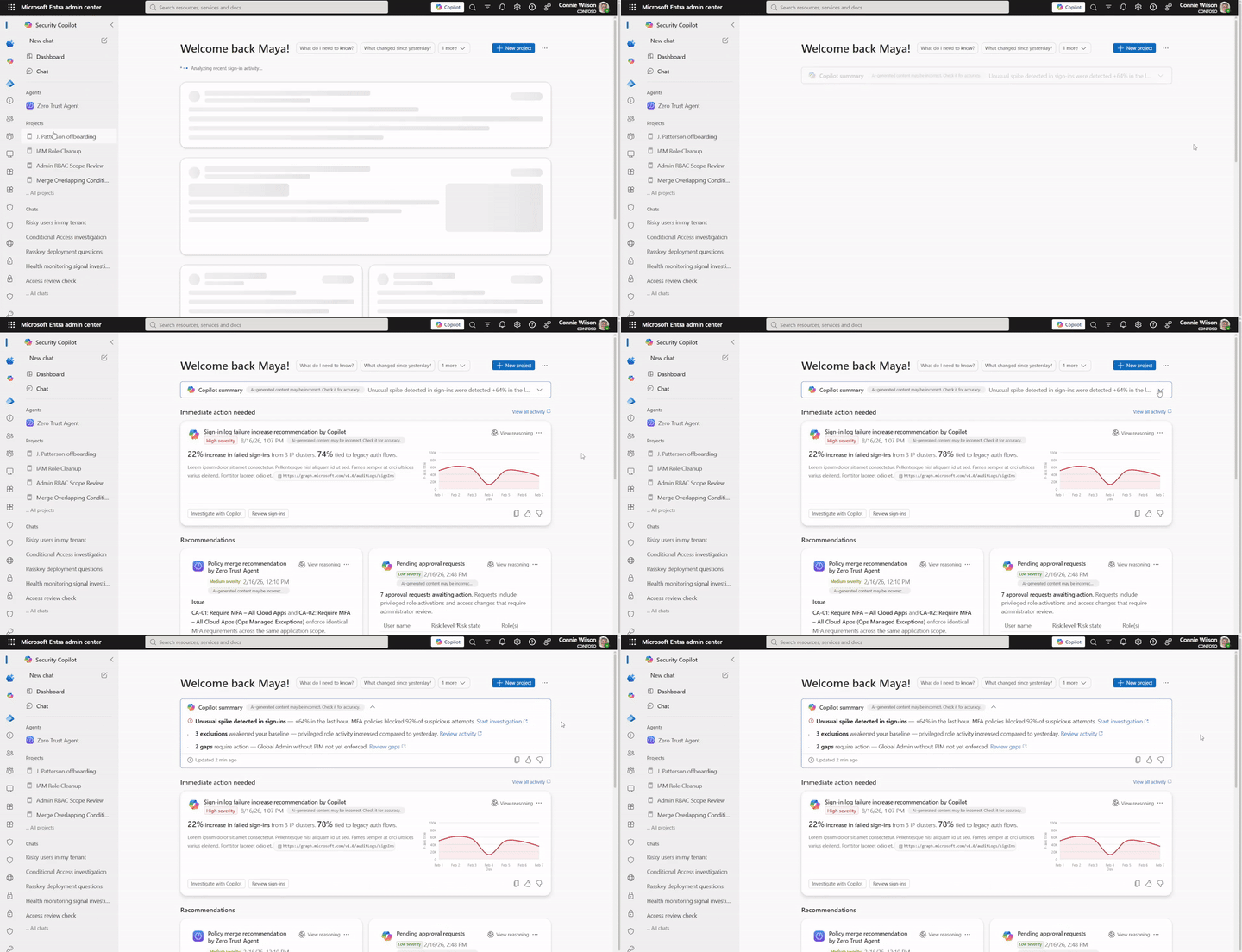
We began by synthesizing existing telemetry, customer conversations, and product feedback to understand where administrators were spending the most time and where decision making became difficult.
Rather than redesigning the existing dashboard, we explored what an AI-first administration experience could look like. Through rapid concepting, we evaluated multiple approaches for surfacing recommendations, explaining AI-generated insights, and guiding administrators toward their next best action.
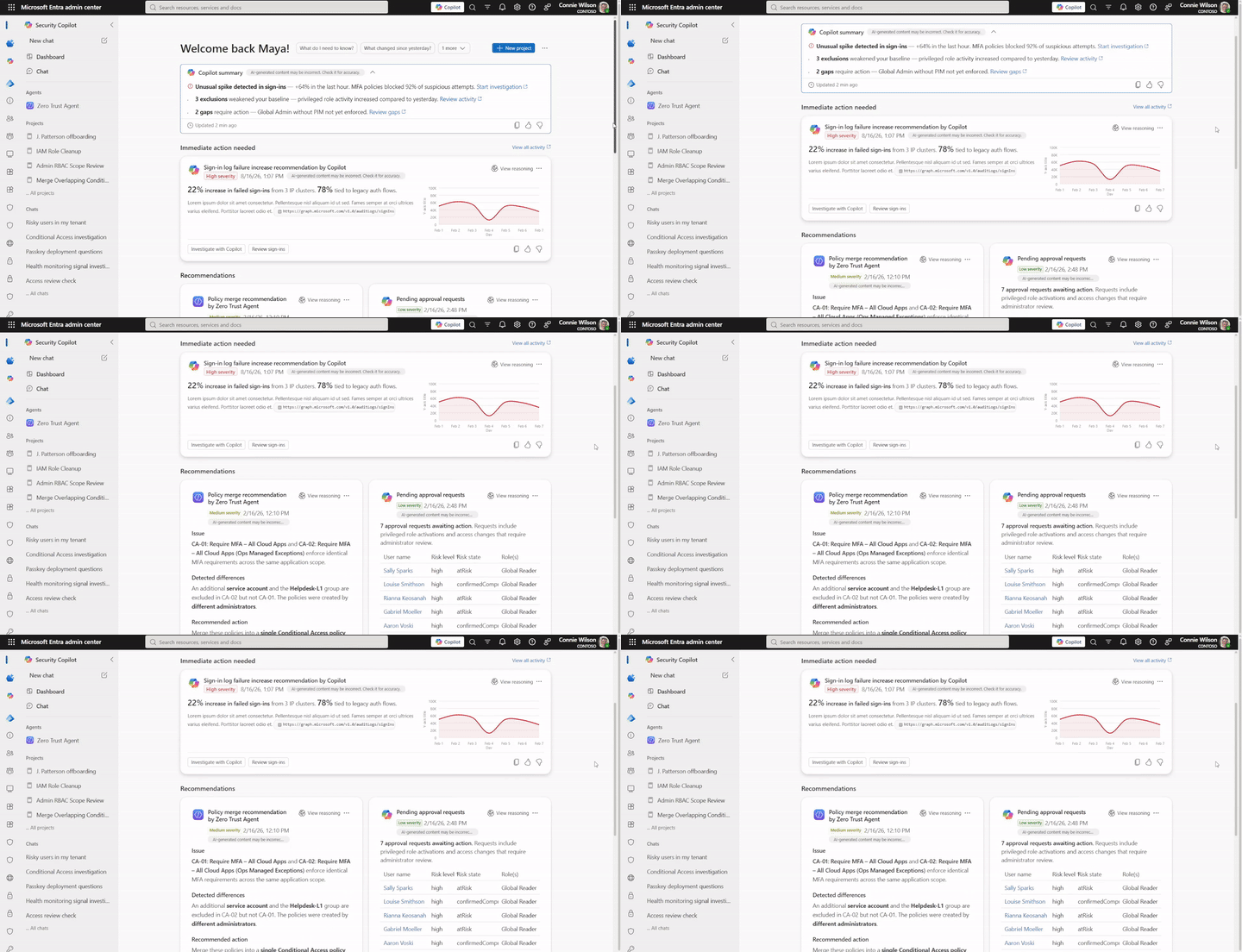
Using Figma, AI-assisted prototyping, and close collaboration with engineering, we quickly evolved ideas into interactive prototypes that tested recommendation frameworks, dashboard layouts, and reusable AI interaction patterns.
This rapid design-engineering loop allowed us to validate concepts early while shaping a scalable foundation for future AI-powered administration experiences across Microsoft Entra.
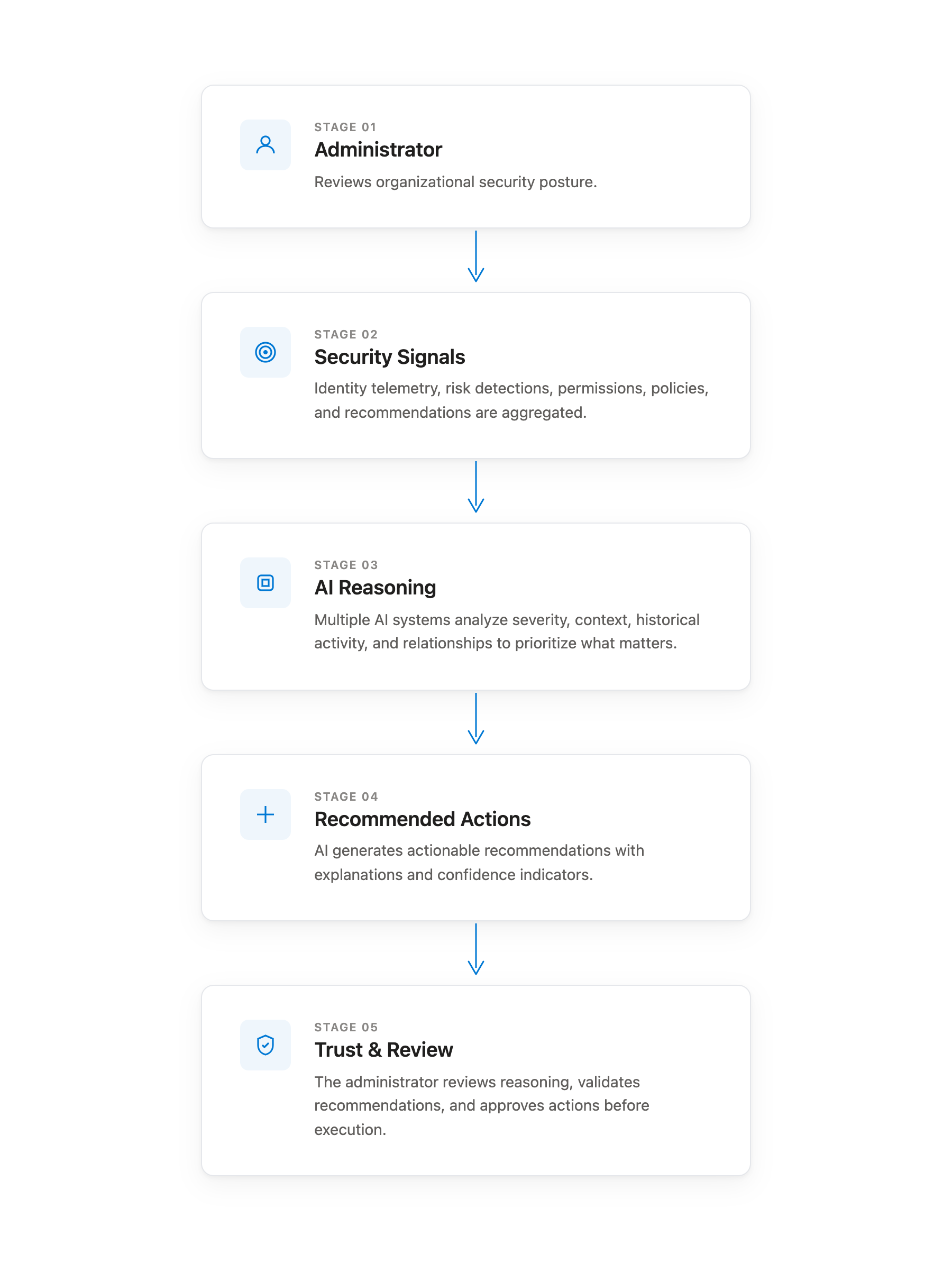
Building a Decision Intelligence Framework
One of the biggest design challenges wasn’t designing another dashboard - it was creating a reusable framework for presenting AI-generated recommendations consistently.
Rather than displaying isolated alerts, every recommendation followed the same interaction model so administrators could quickly scan, understand, and act.
Each recommendation card included:
- AI-generated summary
- Severity indicator
- Intelligence source
- Recommended next action
- Supporting context
This consistency reduced cognitive load while making AI recommendations predictable and trustworthy.
AI Recommendation Cards
The dashboard unified multiple sources of intelligence into a single experience while preserving transparency around where recommendations originated.
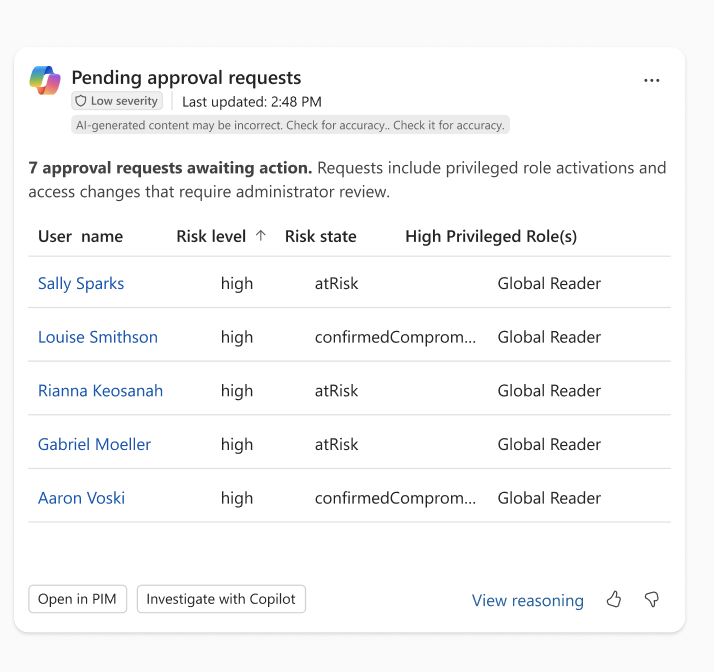
Copilot Generated Insights
Generative AI synthesized security signals into concise, human-readable recommendations that explained what changed, why it mattered, and suggested the appropriate next step.
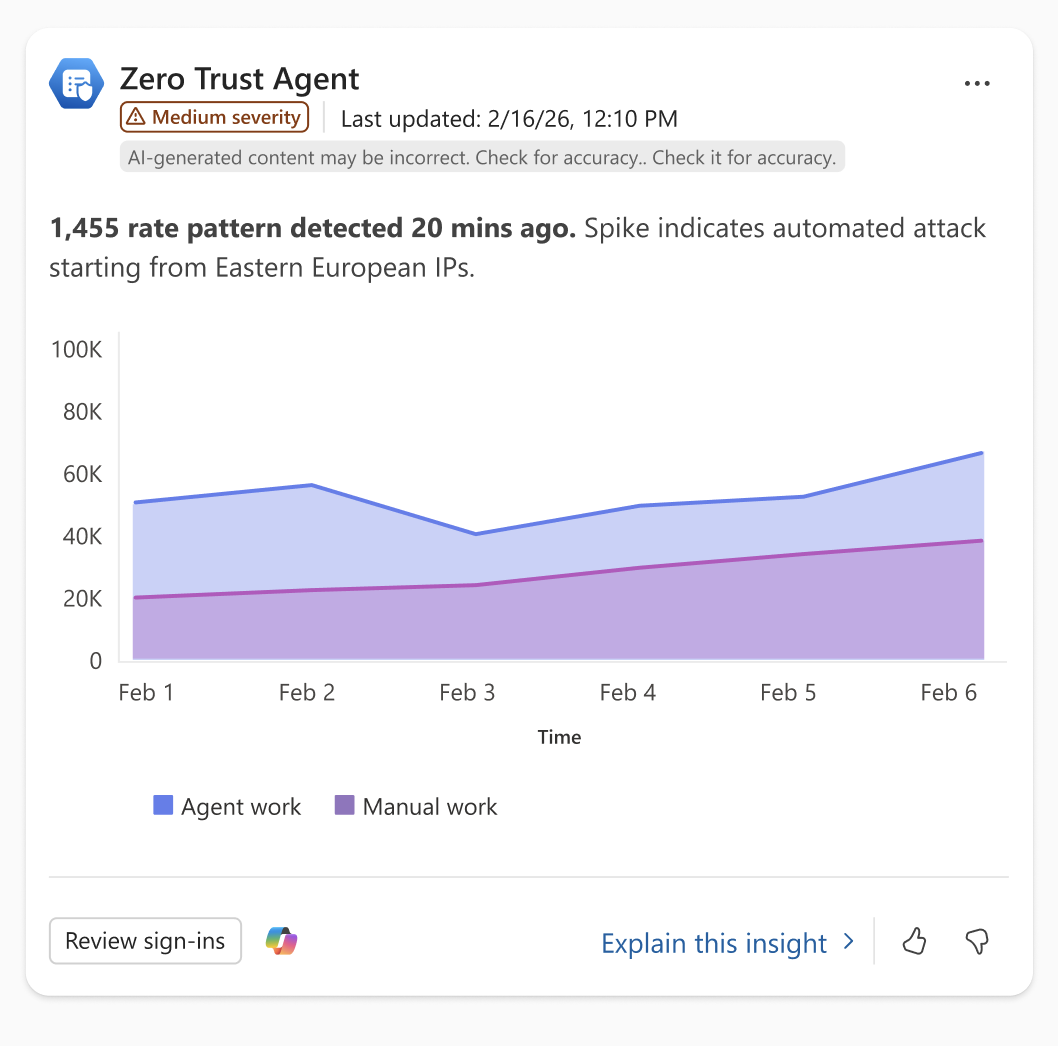
Agent Generated Recommendations
Autonomous security agents continuously monitored the environment and surfaced completed investigations, delegated tasks, or recommended actions requiring administrator review.
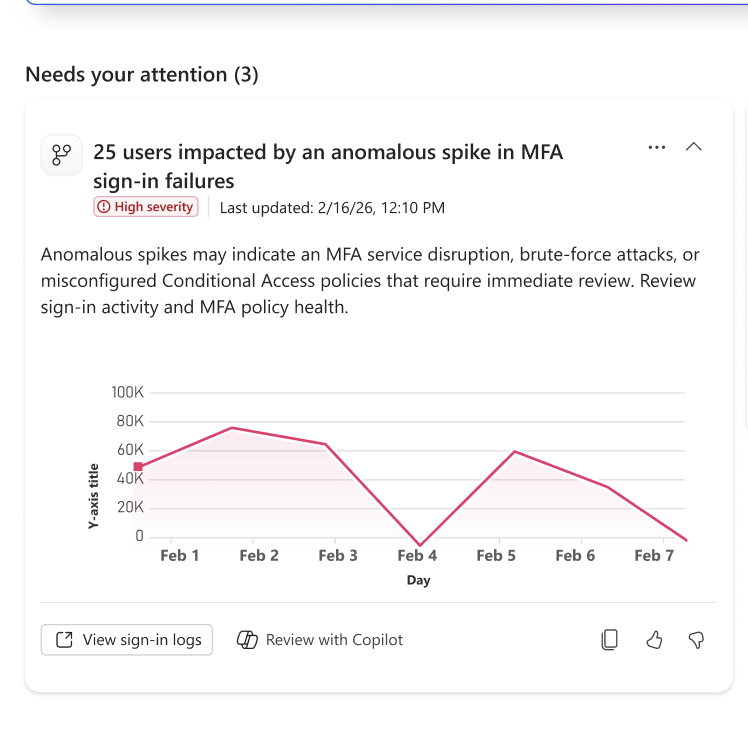
Machine Learning Signals
Backend machine learning models surfaced deterministic detections and risk signals while maintaining the same visual interaction pattern used across AI-generated experiences.
A Unified Card Pattern
Every recommendation shared a consistent structure regardless of where the intelligence originated.
Each card included:
- Source indicator (Copilot, Agent, or Machine Learning)
- Severity badge
- AI-generated two-line summary
- Primary action: Review
- Secondary action: Investigate with Copilot
Keeping interactions consistent helped administrators quickly recognize recommendation types while building confidence in AI-assisted decision making.
Designing for Trust
Introducing AI into enterprise administration required more than generating recommendations.
The experience needed to communicate:
- Why a recommendation appeared
- What evidence supported it
- Where the intelligence originated
- What action was recommended
- When human review was required

Every interaction reinforced administrator control while reducing unnecessary cognitive effort.
Outcome
This exploration established foundational interaction patterns for AI-first administration experiences across Microsoft Entra, cutting the time it took admins to move from signal to resolution.
- Reduced remediation time for high-priority security issues from days to about 90 minutes
- Cut investigation time — reviewing and filtering sign-in logs — from hours to roughly 30 minutes
Beyond the numbers, the work established:
- AI-first administration concepts
- Decision intelligence dashboards
- Conversational administration workflows
- Agent-powered recommendations
- Reusable AI interaction patterns
- Human-in-the-loop review experiences
The work helped shape a broader vision for how enterprise administrators move beyond monitoring dashboards toward AI-assisted decision making.